Turn Recurring To‑Dos Into Automatic Wins

Explore automating recurring life tasks—reminders, renewals, and routine follow‑ups—to replace fragile memory with dependable systems. We’ll map what repeats, design humane nudges, and wire tools that quietly handle dates, documents, and check‑ins. Expect practical examples, small experiments, and stories that reduce anxiety while keeping commitments on track. Jump in, share your wins, and suggest challenges you want solved next.

Map Your Recurring Universe

Before building any automation, create a simple inventory of everything that repeats across your months and years. Bills, medicine refills, license renewals, birthdays, and follow‑ups each carry distinct rhythms and lead times. Noticing dependencies, renewal cycles, and seasonal clusters reveals the hidden pattern of your obligations. This clarity drives smarter reminders, reduces last‑minute stress, and ensures nothing crucial slips quietly past your attention again.

Audit Once, Benefit Forever

Spend one focused afternoon listing every repeating obligation you can recall, then scan email archives, calendars, and banking statements to fill gaps. I found an expiring passport only because a past airline receipt exposed the timeline. Capture due dates, renewal windows, and renewal instructions. The result becomes your living source of truth, powering reliable alerts. Share discoveries in the comments so others can borrow your lightning.

Frequency And Lead Time

Group items by cadence—weekly chores, monthly bills, quarterly reviews, annual renewals—and attach realistic lead times. A prescription refill may need three days; a domain name might require weeks to update payment details. Add buffers for shipping delays, appointment scarcity, or documents that must be notarized. Schedule two reminders per item: one to prepare, another to act. This simple layering turns chaos into predictable flow.

The Two‑Nudge Rule

Use a soft prompt first—“Heads‑up, registration opens Friday; click to prefill now”—then a second nudge that is unmistakably actionable, with a one‑tap path and a calendar hold. In my household, ninety percent of renewals succeed after the second nudge. If still undone, escalate to a tiny checklist and a five‑minute sprint. This cadence respects autonomy while ensuring progress, especially during busy weeks filled with shifting priorities.

Contextual Triggers Over Generic Pings

Tie reminders to meaningful contexts—location, routine transitions, device use, or natural breaks. A car‑service reminder that appears when you pass your preferred garage beats a random buzz at lunch. Grocery list nudges when near the store, or printer ink prompts when opening the document, feel magically helpful. Context trims decision fatigue by surfacing relevant actions precisely when you can act, creating a satisfying sense of effortless momentum.

Escalation Paths And Failsafes

Design graceful backup plans. If an email reminder is ignored twice, send a concise SMS. If that fails, block thirty minutes on your calendar with the link, phone number, and account details ready. For mission‑critical items—insurance, passports, taxes—add a shared accountability partner or family channel. Include a quarterly audit that lists overdue items, root causes, and fixes. Small, repeatable safeguards build durable trust in your system.

Seamless Renewals Without Surprises

Renewals become painless when you capture renewal dates, payment methods, and cancellation windows in one visible place. Set early alerts, schedule calendar holds for decision reviews, and document exact steps. Auto‑renew strategically, but pair it with spending caps and expiring virtual cards. Pre‑expiration checklists reduce dread and keep you out of bureaucratic emergencies. The outcome is calm continuity: services keep running, identities stay current, and budgets remain intentional.

Gentle, Effective Routine Follow‑Ups
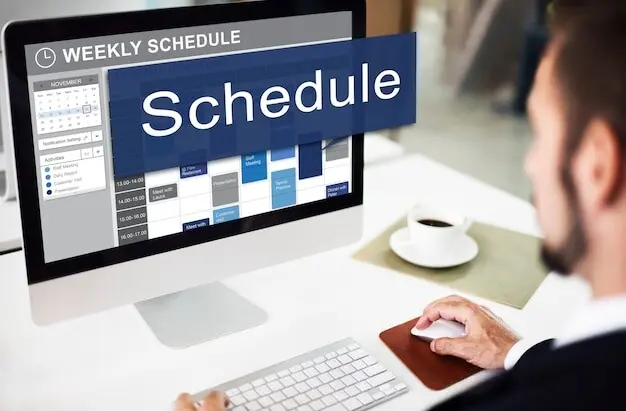
Following up need not feel pushy. Draft kind, time‑boxed sequences that respect others’ bandwidth while safeguarding your outcomes. Templates reduce emotional load and accelerate action; spacing creates room for replies. Think of it as a social safety net for commitments—doctor appointments, contractor estimates, references, or community projects. Done well, you’ll build reliability and warmth simultaneously. People appreciate considerate reminders that keep shared work moving forward thoughtfully.

Tools And Automations That Play Nicely

Choose a lightweight stack that fits your devices and habits. A reliable calendar, a trusted task manager, and one automation bridge often suffice. Add notes for context, password managers for speed, and cloud storage for documents. Integrations should be boringly stable and easy to fix when something breaks. Prefer portability over lock‑in, and document how pieces connect. The goal is quiet reliability, not flashy complexity or brittle cleverness.

The Friday 15‑Minute Review

End the week by scanning upcoming renewals, rescheduling missed reminders, and closing loops on pending follow‑ups. Archive stale tasks, rewrite fuzzy ones, and add context links where future you will need them. This tiny ritual prevents pileups and restores calm. I pair mine with tea and a short playlist. Try it for three weeks and report back. Consistency, not heroics, is what turns scattered obligations into quiet momentum.

Tiny Metrics, Big Clarity

Track only a few numbers: on‑time renewal rate, average days to complete after first reminder, and count of escalations needed. Trends reveal whether reminders arrive too late or instructions lack clarity. When a metric dips, tweak cadence, add context, or strengthen escalation. Share anonymized wins and misses so we can compare notes. Numbers should illuminate, not intimidate, guiding small, confident improvements that compound into enduring reliability over months.

Backup, Redundancy, And Disaster Drills

Export calendars, task lists, and document vaults monthly. Store copies offline and in a second cloud. Maintain a paper fallback for the absolute essentials—identity documents, emergency contacts, and step‑by‑step instructions. Run a brief drill: pretend your phone vanished, then restore access within thirty minutes. Gaps will surface kindly during practice rather than painfully during crisis. Post your backup checklist so others can strengthen their safety nets today.
Livoveltozorinoviluma
Privacy Overview

This website uses cookies so that we can provide you with the best user experience possible. Cookie information is stored in your browser and performs functions such as recognising you when you return to our website and helping our team to understand which sections of the website you find most interesting and useful.